

One intake channel
Agree which inbox or form is included and what information is necessary to handle the request.
Customer enquiry automation
Give every incoming enquiry an owner, the relevant customer history and a clear next step. We connect your inbox or website form to customer records and follow-up tasks, with uncertain matches and response drafts sent for review.
A customer writes to a shared inbox. Someone works out what they need, searches for an existing record and forwards the message. Duplicate records, unclear ownership and missing context make it easy for a request to stall.
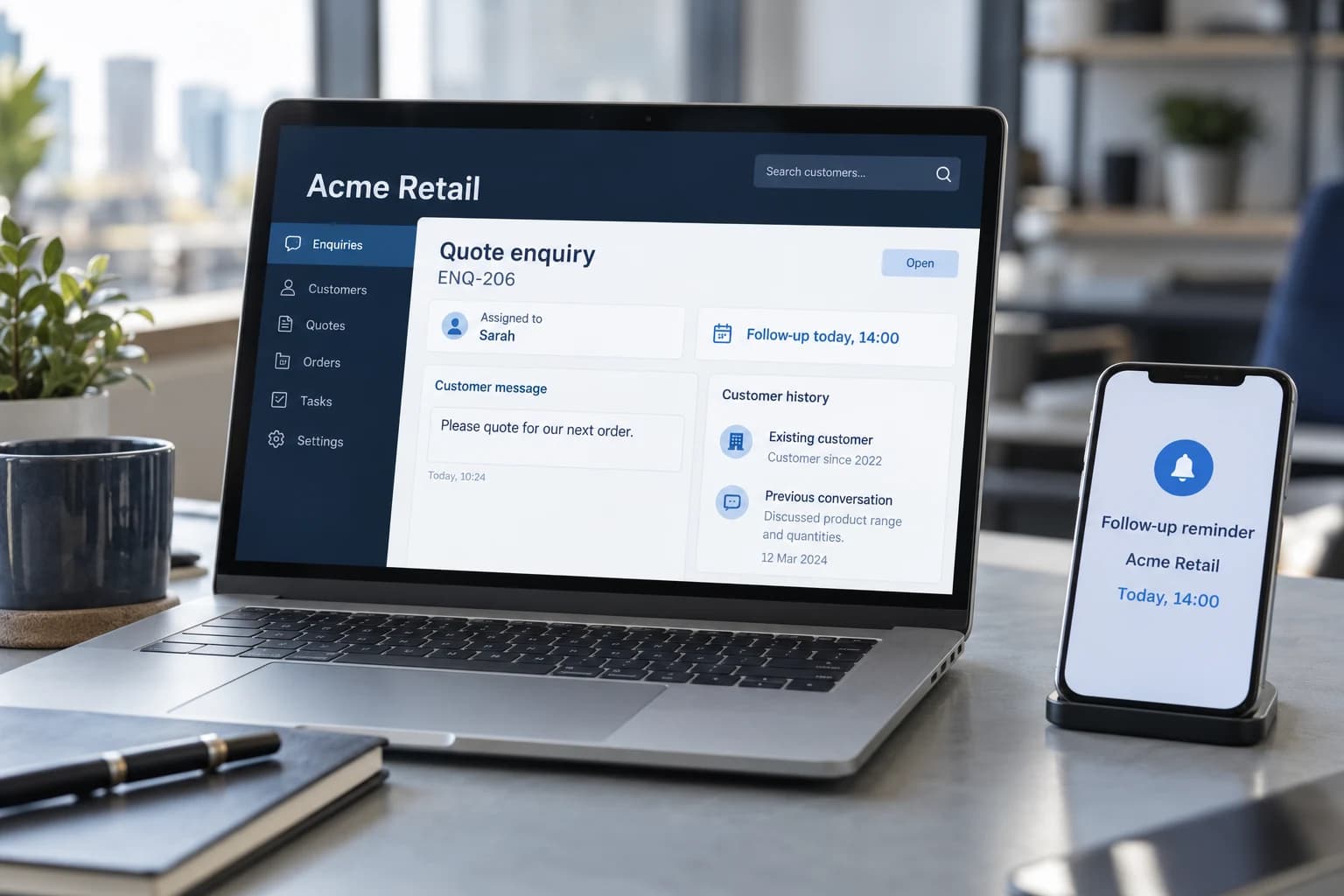
From inbox to owner
A shared inbox works better when every enquiry has a clear owner. We capture the request, check for an existing customer and send it to the person responsible, with the relevant history attached.
A dated follow-up keeps the request visible. If the customer's identity is unclear, the enquiry is held for a check before private account details are attached or a response is sent.
Every enquiry has an owner and a follow-up date. Prices and customer commitments remain subject to your approval rules.
From handoff to next step
The systems, rules and review points are agreed during discovery.
Intake
Retain the original request, channel and the communication preferences available from the source.
AI-assisted
Summarise the request and propose a category. Unclear or sensitive requests go to review.
Integration
Check an agreed customer identifier and duplicate rules before creating or updating a record.
Rule-based
Route by agreed responsibility, with an escalation path for unassigned or overdue requests.
Human review
Review the draft, recipient and permitted channel before any external follow-up is released.
A focused first build
Agree which inbox or form is included and what information is necessary to handle the request.
Choose reliable identifiers, repeated-message handling and when a person must confirm a match.
Define routing, fallback owners and when an unanswered request needs attention.
Check consent or other applicable permission, channel preferences and opt-outs. An enquiry is not blanket permission for marketing.
Generated replies remain drafts until an authorised reviewer approves them. Sensitive requests, uncertain identities and missing communication permissions need escalation rather than automatic sending.
Check how your systems could connectEvidence before expansion
Measure the current process first. Set acceptance thresholds together, then compare the pilot against representative normal and exception cases. These are proposed measures, not promised savings.
Example and boundaries
A customer asks to change a delivery date. Follow the email through customer checks, availability, a saved booking and confirmation. Try an alternative that needs approval or a failed connection.
Explore the customer request demoScope questions
Start with the process and its exceptions, then establish what the systems can support.
No. This proposed scope prepares and routes a response for approval. Any automatic acknowledgement or sending step must be explicitly scoped with recipient, permission and duplicate controls.
Retain the request and proposed match, assign a reviewer and avoid irreversible updates until the uncertainty is resolved. A fallback owner keeps the request visible.
We check supported access to the selected intake channel and CRM before confirming the scope. A pilot can begin with one inbox or form, clear matching rules, and an assigned owner. Other channels can follow once permissions, fields, and operational responsibilities are established.
Any follow-up workflow needs explicit stop conditions, such as a reply, a closed request, or an applicable opt-out. We agree how those signals are read and what happens when they are unclear. Customer enquiries and service messages do not automatically authorize marketing campaigns.
We compare the pilot with your current process using measures such as time to assign an owner, missed handoffs, duplicate records, and time spent preparing responses. Review corrections and unresolved requests matter too. A faster workflow does not by itself guarantee more sales or a particular service response time.
Next step
Tell us how the request arrives, which tools it passes through and where your team needs to intervene.
Discuss your workflow