

Order processing
Collect details from the agreed order source and check products, quantities and customer references. Prepare the next record without asking your team to retype it.
Order & Operations Automation
An incoming order should give sales, the warehouse and delivery teams the information they need. We connect order capture, stock checks, picking tasks and customer updates around your existing systems. Your team can see what is ready to move and resolve shortages before they become delivery problems.
Talk through your workflowSound familiar?
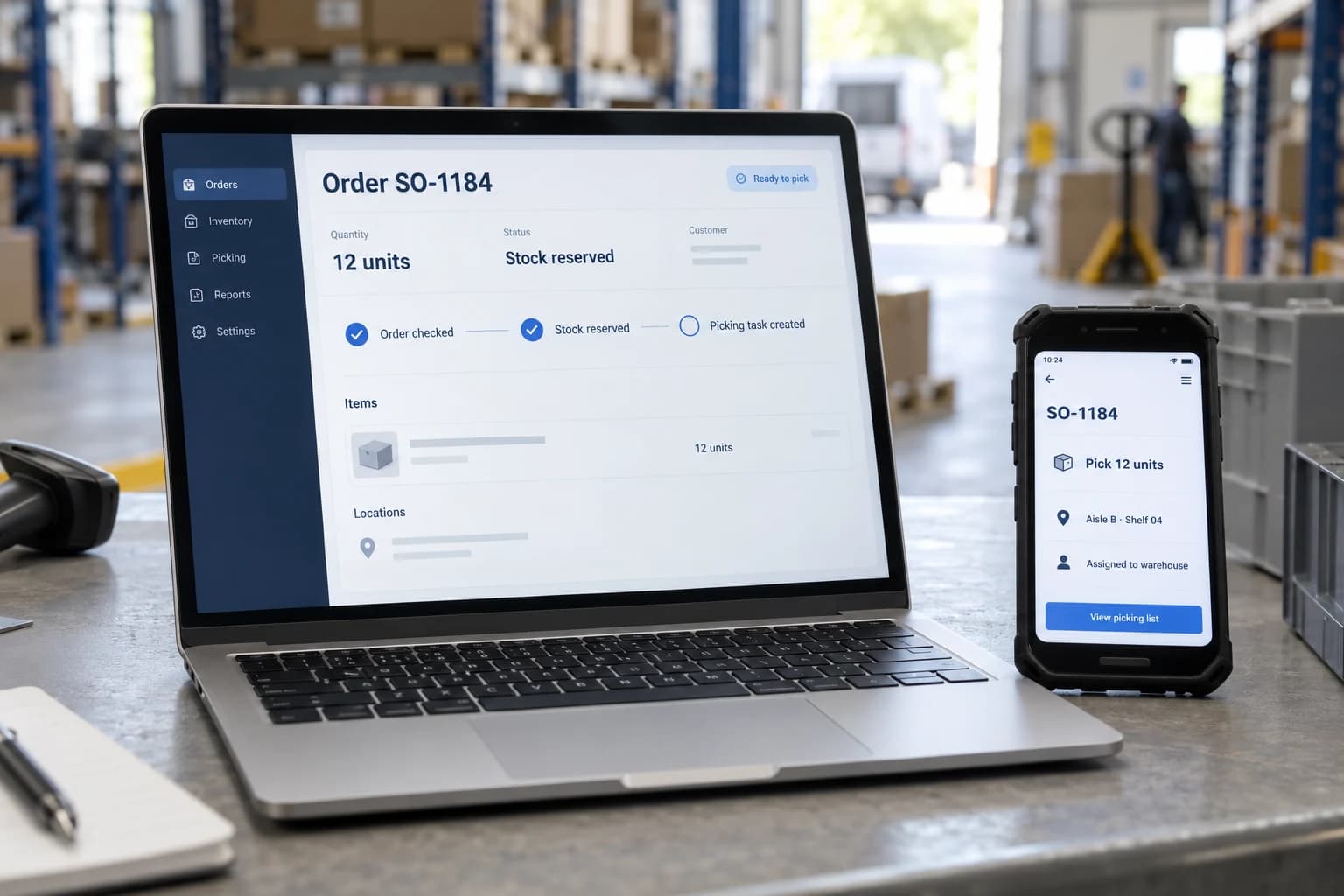
From order to dispatch
An order may pass through sales, stock control and the warehouse before it reaches the customer. We connect those steps so each team receives the same checked details and the next task is clear.
Once stock is confirmed and reserved, the warehouse can receive a picking task with quantities and delivery instructions. A shortage is sent for a decision before the order moves forward.
Office records and warehouse tasks stay linked through the same order reference.
See the difference
Carry the same order reference through stock, fulfilment and customer communication so each team works from the same context.
SO-1184 · 12 units
Validate the order
Check and reserve stock
Create a fulfilment task
Prepare confirmation
ReadyThe warehouse receives one checked order, with stock reserved and a clear delivery handoff.
A stock shortage holds fulfilment until a person agrees the next step.
Where automation can help
A focused starting point can make the next step clearer. These are the areas we can explore around your existing systems.
Collect details from the agreed order source and check products, quantities and customer references. Prepare the next record without asking your team to retype it.
Check availability in the system that manages your stock. Keep reservations and changes linked to the order so teams work from the same information.
Give the warehouse a picking task with quantities and delivery instructions. Share confirmed dispatch updates with sales and customer service.
Bring stock shortages, incorrect details and failed updates to the responsible person. Keep the order visible while the issue is resolved.
One workflow, end to end
A repeat customer orders 12 units through the online store. The order needs to reach stock control, the warehouse and the customer service team without being entered three times.
Match the customer and product references, confirm the address and reject duplicate submissions.
The inventory system confirms 18 available units and reserves 12. Six units remain available for other orders.
Create a warehouse task against the same order reference, with quantities and delivery instructions attached.
Prepare the confirmation and use the recorded dispatch event for later updates. Do not claim dispatch before it happens.
Potential business impact
Start with the current process. Agree what improvement would look like, then evaluate the workflow against it.
Move checked information between the systems handling the order.
Make reservations and shortages visible before fulfilment starts.
Carry updates to the warehouse and customer-facing team.
Follow the order from arrival to its next confirmed state.
Behind the workflow
The technology follows the process: what needs to happen, which systems hold the information and who can authorise the next step.
We check how your online store, stock software and delivery tools can exchange information. Shared order and product references help each system recognise the same work.
We agree when stock is checked or reserved and which system holds the authoritative quantity. Repeated messages are recognised so they do not create duplicate orders.
We test stock shortages, cancellations and delayed updates alongside normal orders. If a step cannot complete, your team can see where it stopped and what needs resolving.
Where this can be useful
Order & Operations Automation FAQs
Practical answers about the work, the systems involved, and the decisions your team keeps.
The number of order sources, system access, stock rules, and exception cases all affect scope. We agree a pilot, acceptance examples, and dependencies before setting a delivery plan. Platform fees, monitoring, and maintenance are identified separately, with named owners for failures and changes after launch.
Explore a first workflow buildA pilot can start with one supported source, such as an inbox, form, or structured order feed. We define required fields and how customers and products are matched. Structured orders may not need AI; unstructured messages may need extraction and a review step before creating a record.
We check available access and the actions each system supports before confirming a scope. The design identifies which system owns stock, orders, reservations, and delivery status. Existing tools can often remain in place, but a connector or product name alone does not establish compatibility with every operation.
We agree which exceptions should hold an order and who can decide what happens next. A reviewer may approve a partial fulfilment, an alternative item, or a purchasing proposal under your rules. Suggested availability or a purchase recommendation should not automatically become a promise to the customer.
We define reliable order identifiers, repeat-request checks, and when stock must be rechecked or reserved using the source system's supported features. A stale stock snapshot is not a guarantee of availability. Concurrent orders and uncertain saves are important test cases before enabling live release.
That is a separate workflow decision. We agree which events justify a message, the approved content and recipients, and whether review is required. A confirmation should follow a verified change, not just an attempted update. Failed or repeated events need controls to avoid misleading or duplicate messages.
Yes. We can scope a pilot around one source or order type with representative records, approvals, and exception cases. We agree the test environment, release conditions, manual fallback, and process owner. Changes that affect stock or fulfilment need validation before live use, not only a successful demo.
Explore a focused order workflowNext step
Walk us through the steps from arrival to dispatch. We'll help you identify where connected systems could reduce re-entry, missed updates and manual handoffs.
Map your order workflow