

AI business guides
AI chatbot or business assistant: what do you actually need?
The labels overlap. The useful difference is what the tool can know, which records it can use and what it is allowed to do.
A visitor asks your website, “What time do you open?” Later, an account manager asks, “Why hasn't this customer's order been dispatched?”
Both questions could appear in a chat window. They require very different information.
The first might be answered from a published page. The second needs an identified customer, an order reference, current operational records and permission to read them. The interface looks similar; the work behind it is not.
Treat the names as a starting point
“Chatbot,” “assistant” and “agent” are used differently by different vendors. A chatbot can connect to business tools. An assistant may only answer questions. The label alone won't tell you what you're buying.
Ask for a demonstration of your actual use case. What information does the tool read? How does it identify the person asking? Can it show the record behind the answer? Can it change anything?
| Need | Information required | Boundary to agree |
|---|---|---|
| Answer opening-hours questions | Approved public content | Do not invent unpublished policies |
| Explain an order delay | Permitted order and delivery records | Show the source and its freshness |
| Prepare a customer update | Verified order context | Keep the message as a draft |
| Change a booking | Availability and booking rules | Require the right authority before writing |
Public answers and private context are different jobs
If your goal is to answer repeated questions about services, locations or published policies, a narrowly scoped website tool may be enough. Someone still needs to own the content and keep it current.
An internal assistant needs a different conversation about access. A salesperson may be allowed to see their accounts but not every customer's pricing. A manager may see an aggregate report without needing the underlying private notes.
Those boundaries should apply to the records the tool retrieves, not just appear as instructions in a prompt.
Read, draft and act are separate capabilities
Reading the status of an order doesn't imply permission to cancel it. Preparing a customer message doesn't imply permission to send it.
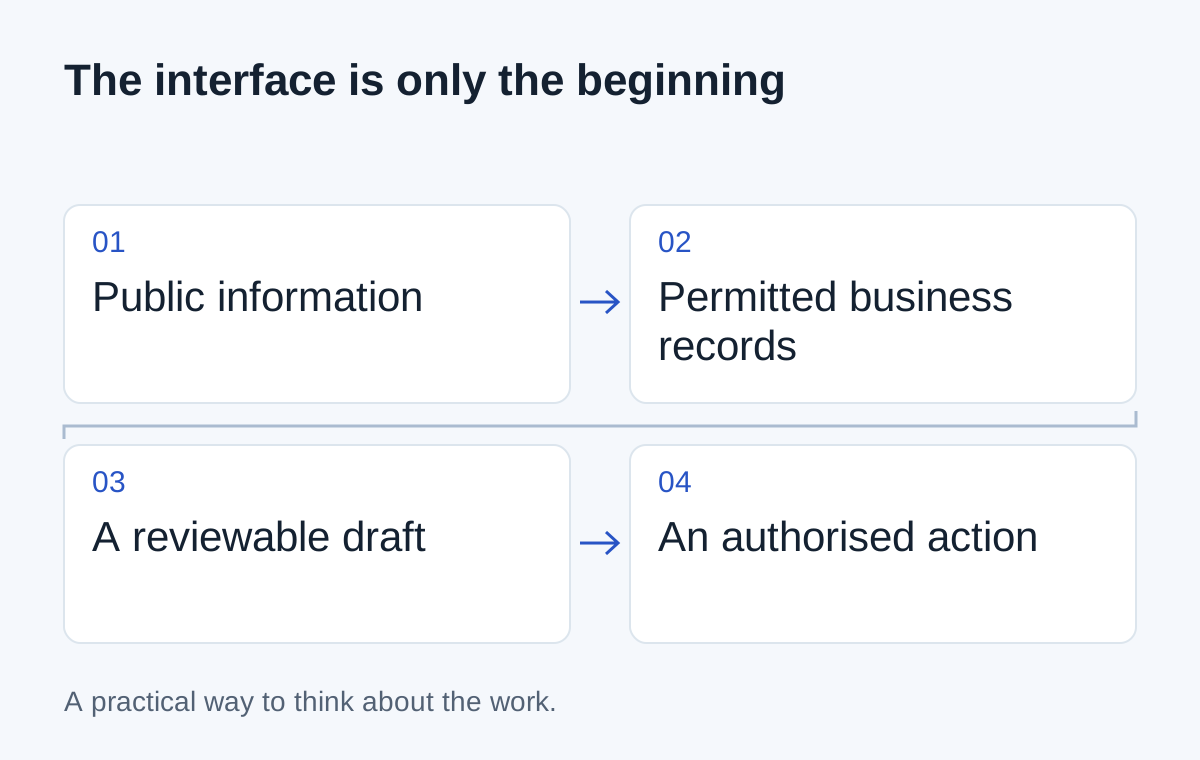
For an initial project, keep those capabilities separate. Let the tool retrieve agreed information and prepare something a person can review. Add writes only when the business has defined who can authorise them and how the outcome will be recorded.
- 01Read the allowed records
- 02Prepare a proposed response
- 03Ask for a decision
- 04Perform only the authorised action
A button labelled “approve” is meaningful only if the proposed action is clear. The reviewer needs to know which customer, which message or which record will change.
Choose the smallest useful scope
Suppose your team spends time checking delivery status. Start with a question tied to one order reference and a read-only result. Test a missing order, an unauthorised request and a stale delivery update.
If that works, a draft reply may be a sensible next step. Independent refunds or changes to customer commitments are a separate decision, not a natural consequence of making the chat interface work.
Vale AI is a way to illustrate this connected business context. When evaluating any implementation, ask the same practical question: can the team check what the assistant used, understand what it proposes and control what happens next?
Next step
Have a similar situation in your business?
Tell us how the work happens today and where it gets difficult. We can help you work out a useful next step.
Talk through your situation