

Systems guide / Integration architecture
How to integrate business systems without creating a fragile mess
A business-owner-friendly guide to connecting CRM, ERP, payments, inventory, and internal tools while keeping data trustworthy and failures recoverable.
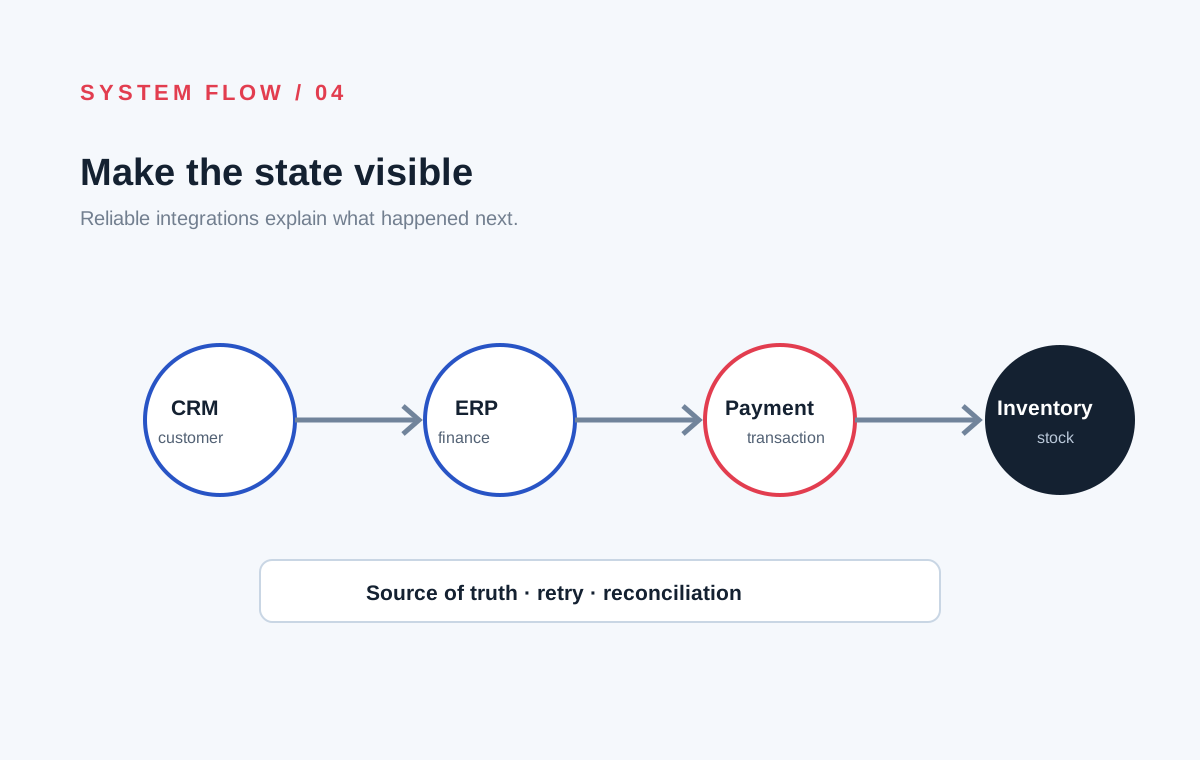
Most integration problems do not begin with a lack of connectors. They begin when a business has not decided which system owns which information or what should happen when systems disagree.
Connecting software means designing a dependable flow of business events and records. The technical mechanism—API, webhook, file exchange, or message queue—is important, but it is not the whole decision.
The short answer
Start by mapping the business process from beginning to end. Identify the systems involved, the record that must remain authoritative, the events that move work forward, and the failures the operation needs to recover from.
Then choose the simplest integration pattern that meets those requirements and make the flow observable. A successful integration is not one that moves data once. It is one that keeps important business state understandable over time.
Why disconnected systems create real business cost
When customer, order, payment, inventory, and finance records live in separate tools, people often become the integration layer.
They export files, copy values, check spreadsheets, send messages, and reconcile differences at the end of the day. That creates delay, duplicate effort, and uncertainty about which record is correct.
The cost appears as:
- Orders that need manual correction.
- Customers receiving outdated information.
- Stock or availability that cannot be trusted.
- Finance teams reconciling transactions by hand.
- Reports that disagree depending on who prepared them.
- Business knowledge trapped in one person’s workaround.
Common integration patterns
API request
One system asks another system for information or requests an action. This is useful when the response is needed immediately, such as checking availability or creating a customer record.
Webhook
One system notifies another when something happens. For example, a payment provider can notify the business that a payment succeeded or failed.
Webhooks are useful, but the receiving system must handle duplicate notifications, delayed delivery, and events arriving out of order.
Scheduled or batch exchange
Data moves at a planned interval, often through files or reports. This can be appropriate when immediate updates are not required or when an older system only supports scheduled exchange.
Event-driven flow
An event such as OrderConfirmed is published so multiple systems can respond. This can reduce direct coupling, but it requires clear event definitions, monitoring, replay rules, and ownership.
Decide the source of truth
For each important record, answer: “Which system is authoritative for this fact?”
| Business fact | Possible owner | | --- | --- | | Customer identity | CRM or customer platform | | Product catalogue | Commerce or product system | | Available stock | Inventory system | | Payment status | Payment provider or transaction service | | Financial posting | Finance or ERP system | | Delivery status | Fulfilment or logistics system |
The answer depends on the business. The important thing is to make it explicit. Without ownership, every integration becomes a competing attempt to overwrite the same information.
The difficult part is failure behaviour
Suppose a customer pays successfully, but the inventory system is temporarily unavailable. What should happen?
The system may need to:
- Record the payment safely.
- Mark the order as awaiting inventory confirmation.
- Retry the inventory request.
- Alert an operator if the retry limit is reached.
- Prevent a duplicate payment or duplicate order.
- Show the customer an accurate status.
This is why reliable integration design discusses states, retries, idempotency, reconciliation, and human intervention. In plain language: the system must know what happened, what it tried, and what should happen next.
Integration is also a data-quality problem
Two systems may use different names, identifiers, formats, or definitions for the same concept. A customer may have several identifiers. A product may have variants, bundles, units, or historical codes.
Before connecting systems, document:
- Field mappings.
- Required and optional values.
- Identifier ownership.
- Date, currency, and unit formats.
- Duplicate-handling rules.
- Validation and rejection behaviour.
- Historical data requirements.
An integration that transfers incorrect data faster is not an improvement.
What should be monitored?
Operational teams need more than a green “connected” status. They should be able to see:
- How many records were accepted.
- How many failed and why.
- Which messages are waiting for retry.
- When a source system has stopped responding.
- Whether totals reconcile across systems.
- Which exceptions need a person to decide.
Monitoring turns an invisible technical dependency into an operational tool the business can trust.
A practical integration checklist
Before building, document:
- The business process and desired outcome.
- Every system involved.
- The owner of each important record.
- The events or actions that move work forward.
- What happens when a request fails or is duplicated.
- How data is validated and reconciled.
- What operators need to see and correct.
- Security, access, and audit requirements.
- How the integration will be tested with realistic cases.
- Who owns it after launch.
Final recommendation
Do not start an integration project with “which connector should we use?” Start with “what business state needs to move, who owns it, and what must remain true when something fails?”
SystemVale helps businesses connect platforms, APIs, payment flows, operational tools, and back-office systems around a reliable view of how the work actually moves.
Frequently asked questions
Is an integration platform always the best answer?
No. A managed integration product may be right for common, low-risk connections. Important or unusual workflows may need a dedicated service with stronger control over state, retries, security, and reconciliation.
How long does an integration take?
It depends on the systems, data quality, workflow complexity, access, and failure requirements. A simple one-way sync is very different from a transaction flow across payments, inventory, fulfilment, and finance.
Should data be synchronized everywhere?
Not necessarily. Replicate what another system needs, but keep ownership clear. Duplicating every field in every system usually increases inconsistency.
What is the first step?
Map one important end-to-end workflow and identify its systems, records, states, and exceptions before choosing implementation technology.
A useful next step
Good software decisions start with the workflow, not the feature list.
See how we workNext step
Make your systems agree on what happened next.
We can map your data flows, system ownership, failure cases, and integration priorities before implementation begins.
Map your system integration